

How you expand your access depends on what you’re adding. If you’re adding a separate product — like Washington Probate — you can subscribe to that product in the Store alongside your existing subscription. If you’d like to draft in an additional Estate Planning state, the process is different. Single-state Estate Planning subscriptions cannot be combined, so you’ll need to transition to Multi-State Estate Planning, which involves canceling your current single-state subscription first.
The sections below explain each option step by step.
Add a New Product Subscription
Example: You already subscribe to Washington Estate Planning and would like to add Washington Probate.
In this situation, you are simply adding another product to your account. There is no need to cancel or change your existing subscription.
- Go to the Store, locate the new product you want, and click Subscribe.
- You will choose Monthly or Yearly billing, select the number of users, and enter or confirm payment details.
- Once complete, the new product will appear as a separate subscription in the Library.
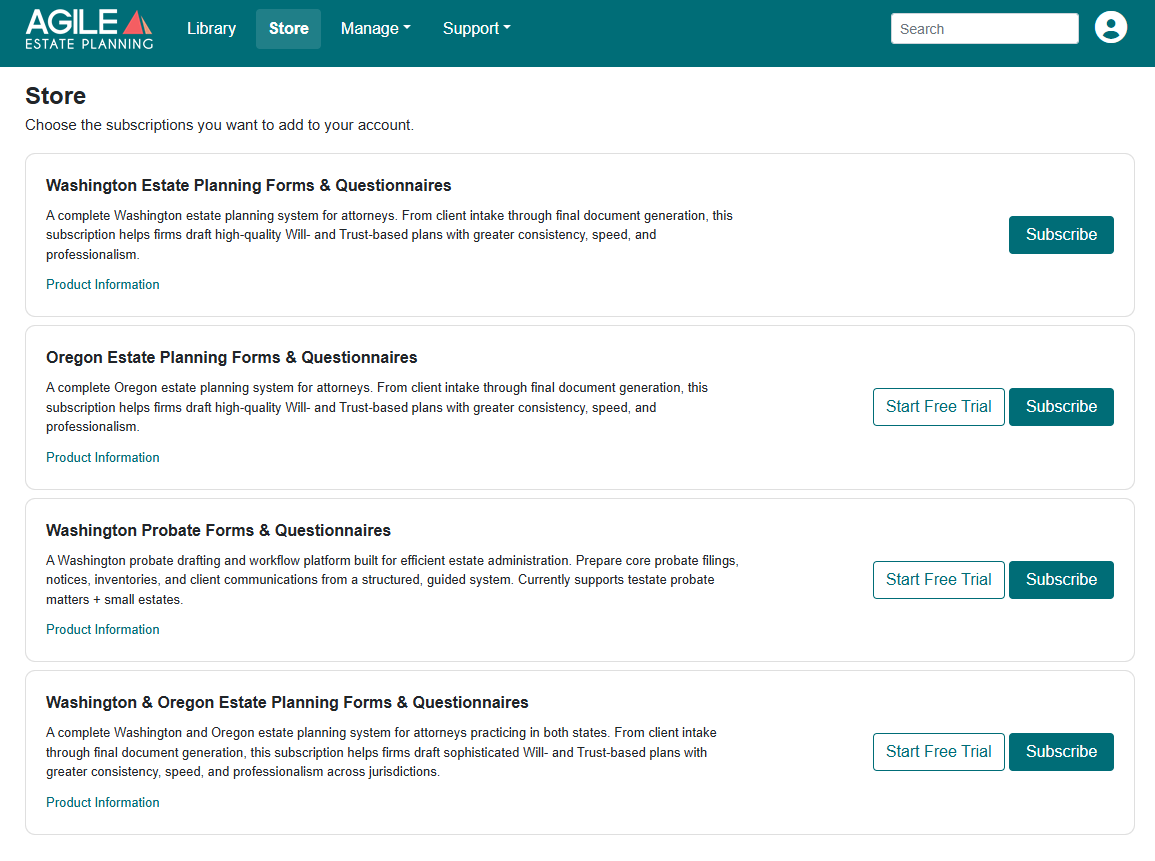
Note: If the "Free Trial" appears next to any product, then you may opt to use that 14-day free trial before subscribing to that product. If it does not appear, then you have already used the trial period for that product.
Add a Second Estate Planning State
Example: You currently subscribe to Washington Estate Planning and would like to draft in Oregon as well. Single-state Estate Planning subscriptions cannot be combined. To access more than one state, you will need to subscribe to Multi-State Estate Planning. This involves replacing your current single-state subscription.
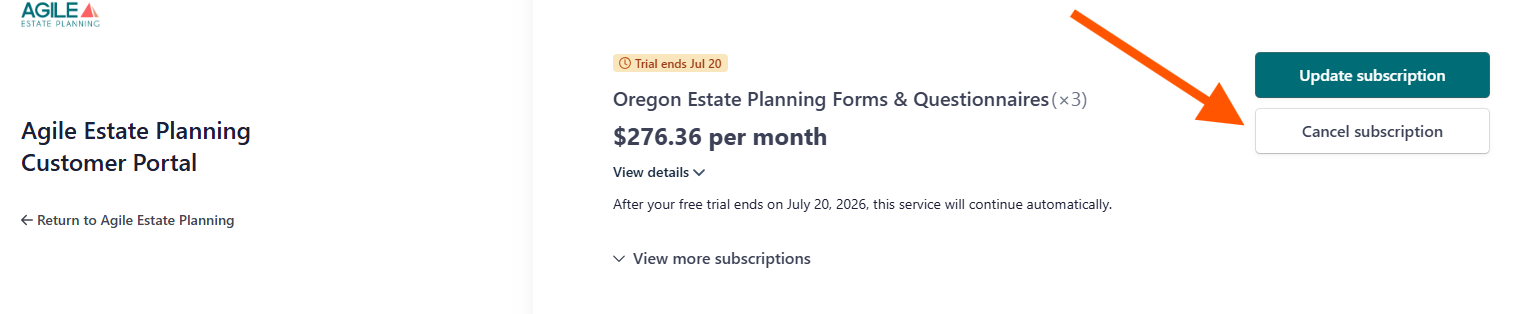
First, go to: Manage > Subscriptions > Billing, Seats & Cancellation. Select your single-state Estate Planning subscription and choose Cancel. Confirm when prompted.
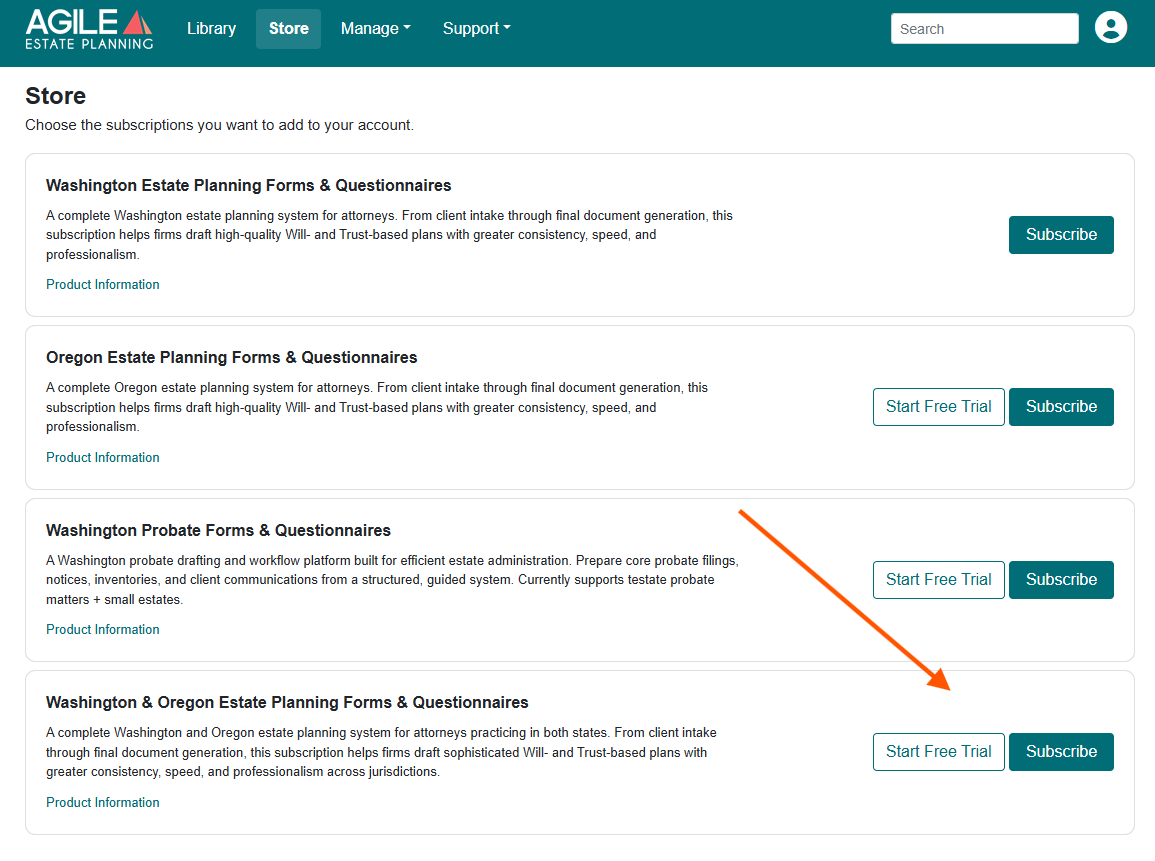
Next, go to the Store and click Subscribe next to Multi-State Estate Planning. Select your billing period and user count, then complete checkout.
Your Data Stays in Place
Canceling a single-state Estate Planning subscription does not delete your client matters. All of your client data remains securely stored in Agile EP. Your active subscription simply determines which states and drafting features are available to you.