

Passwords can be changed two different ways, depending upon whether access to the account still exists.
Recover your password
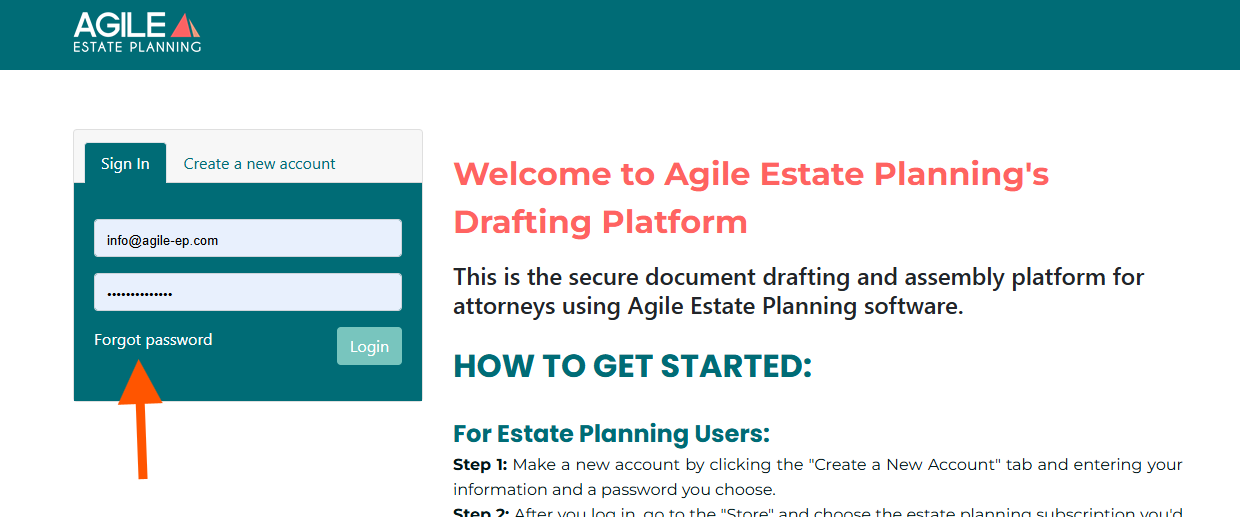
If you’ve forgotten your password and cannot log in, use the Forgot Password link on the login screen to reset it.
Change your password
You can update your password at any time from your profile settings.
Log in to your account.
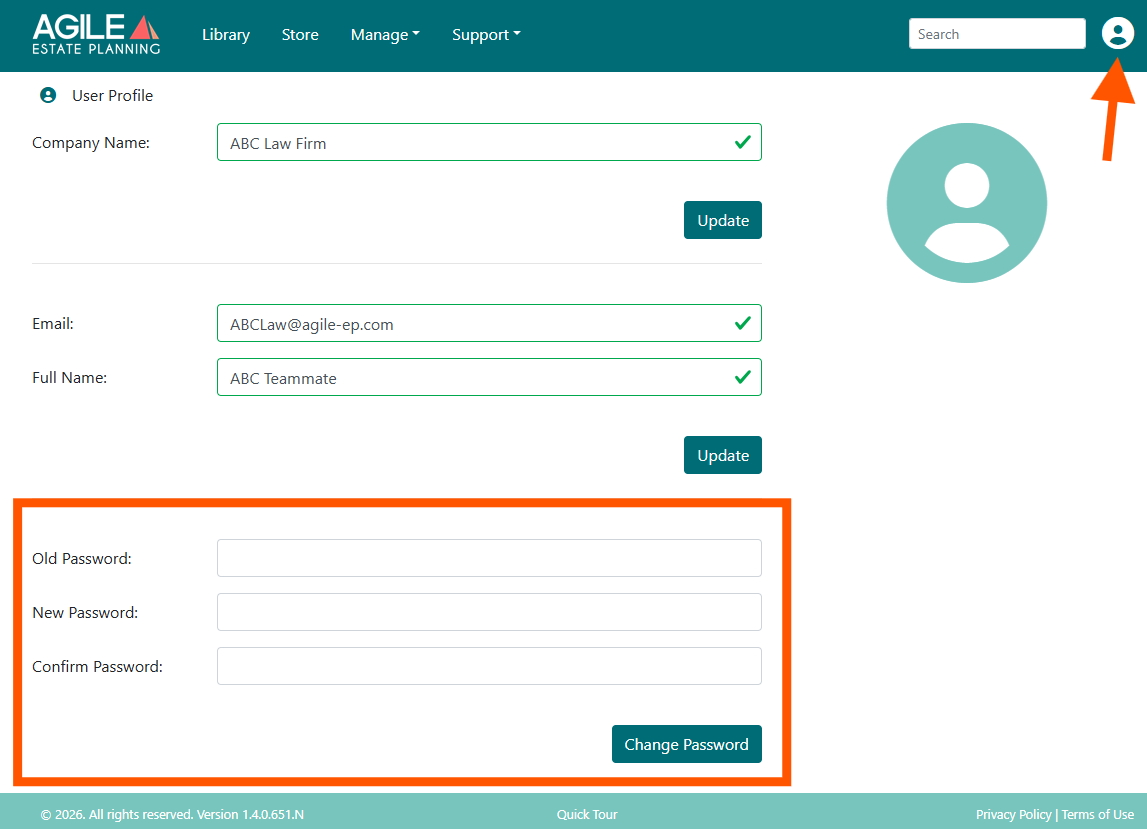
Click your profile icon in the upper right corner.
Select Profile from the menu.
On the Profile page, enter your new password.
Click Change Password to save the update.
Your password will be updated immediately. If you are logged in on other devices or browsers, you may be prompted to log in again using the new password.