

What Is a Grid Question?
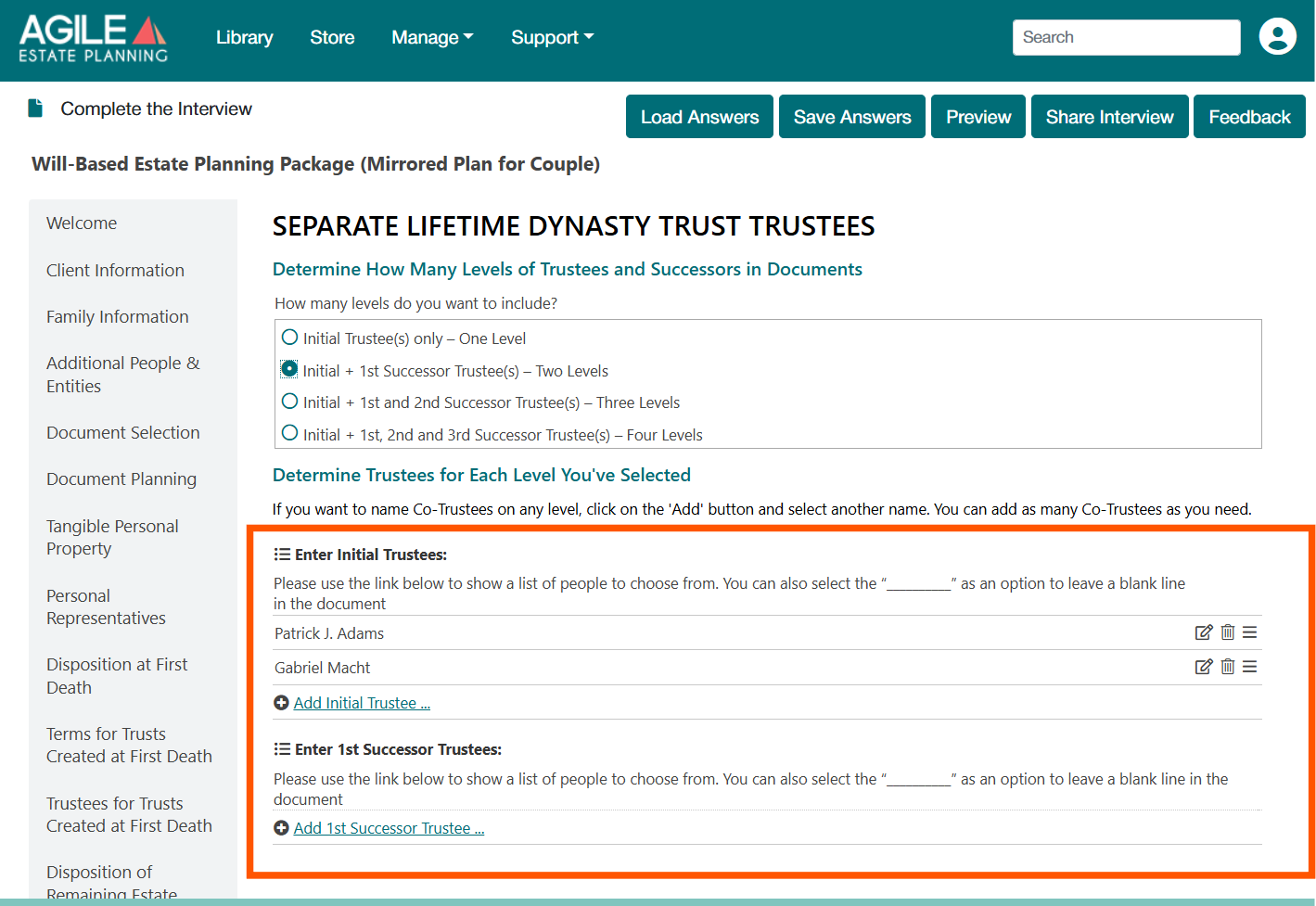
In Agile EP drafting interviews, some questions use a grid format to collect repeating information, such as Personal Representatives, Trustees, or Agents.
A grid typically:
- Displays entries in rows
- Includes an “Add …” link beneath the list
- Allows you to select names from a drop-down list or enter details on a separate page or in the grid itself
Each row in the grid represents information that will be used in the final documents.
An example of a “grid format” question:
Where This Happens
Common examples include grids on tabs where you select:
- Personal Representatives
- Trustees
- Agents
- Personal Property Lists
- Lists of Individual Beneficiaries
Why This Is a Problem
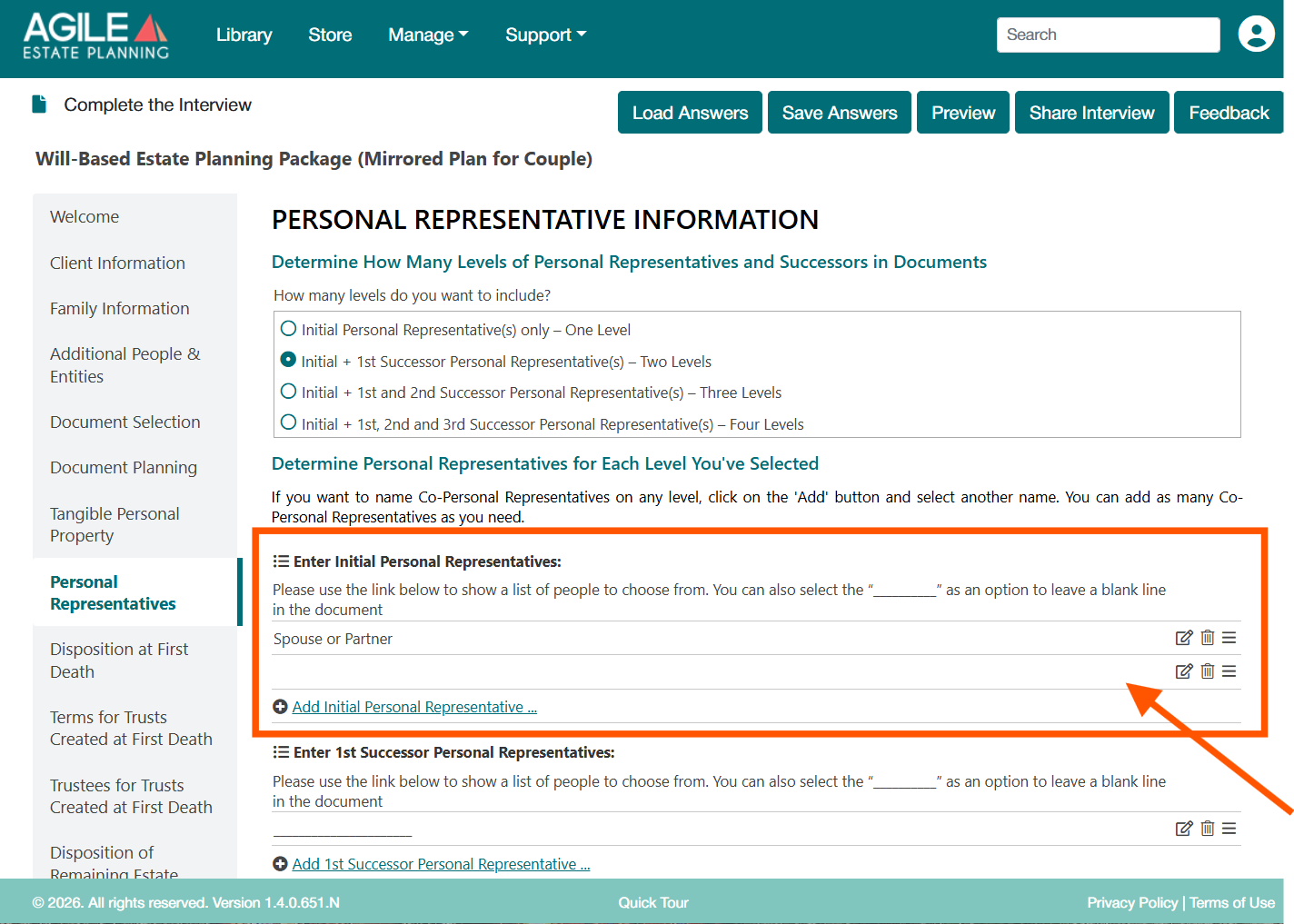
A blank grid row is interpreted as an additional role or additional information in the document logic.
For example:
- A blank row in a Personal Representative grid may cause the document to treat the appointment as Co-Personal Representatives
- The document may assume more people were named than intended
This can lead to incorrect or confusing document language.
How to Identify the Issue
Review the grid carefully:
- If any row shows no selected name (i.e, it is blank), it is still active
- Edit, delete, or reorder icons on the right also indicate the row is being treated as an active entry
See an example of a blank but active grid row below:
How to Fix It
- Find the blank row in the grid
Either:
- Select a valid name from the drop-down, or add detail into the grid (for example, an asset description)
- Delete the row completely with the “trash” icon on the right side
- Confirm that every remaining row contains a real, intentional selection