Separate Plans are used when each spouse or partner requires a fully independent estate plan, even though drafting occurs within the same package and interview structure. This structure is available for both married couples and unmarried committed couples.
Unlike mirrored or joint planning structures, Separate Plans are not designed to remain in sync. Each person’s plan is treated as its own legal instrument set, with independent fiduciary appointments, dispositive provisions, and structural decisions.
This approach is available in both Separate Will-Based Planning Packages, and Separate Revocable Trust-Based Planning Packages. The workflow mechanics are the same regardless of planning structure:
In Separate Will-Based Packages, each person receives a fully independent Will-centered plan with corresponding package documents.
In Separate Revocable Trust-Based Packages, each person receives their own revocable trust and corresponding package documents (including funding documentation).
Both of these package types include a Flip Parties function, which facilitates drafting two independent plans efficiently within a shared interview framework.
Married couples may alternatively choose to draft a Joint Revocable Trust plan with separate ancillary documents for each spouse. That structure is addressed separately below, as it follows a different workflow and does not use the Flip Parties function.
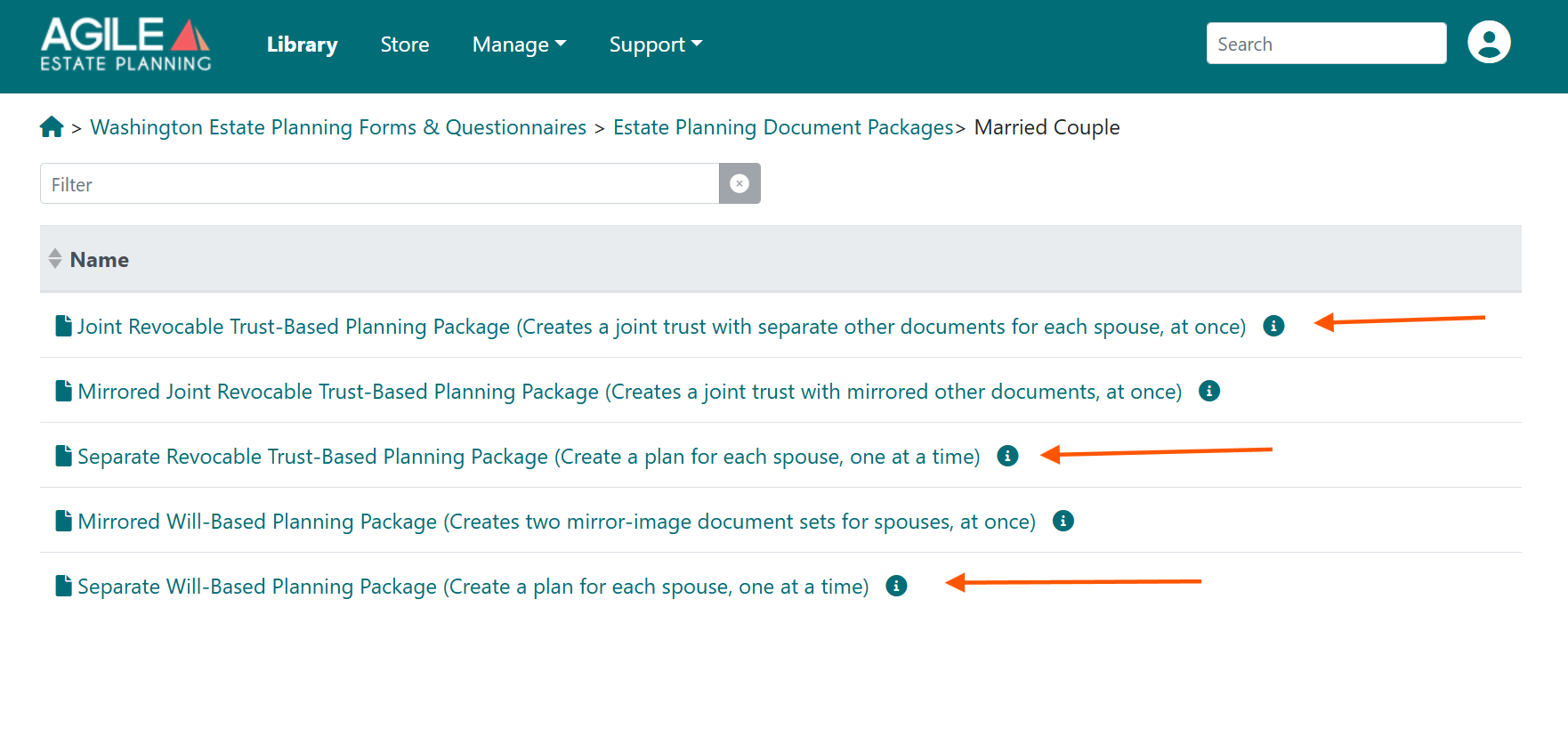
Married Couple "Separate Plans" Options:
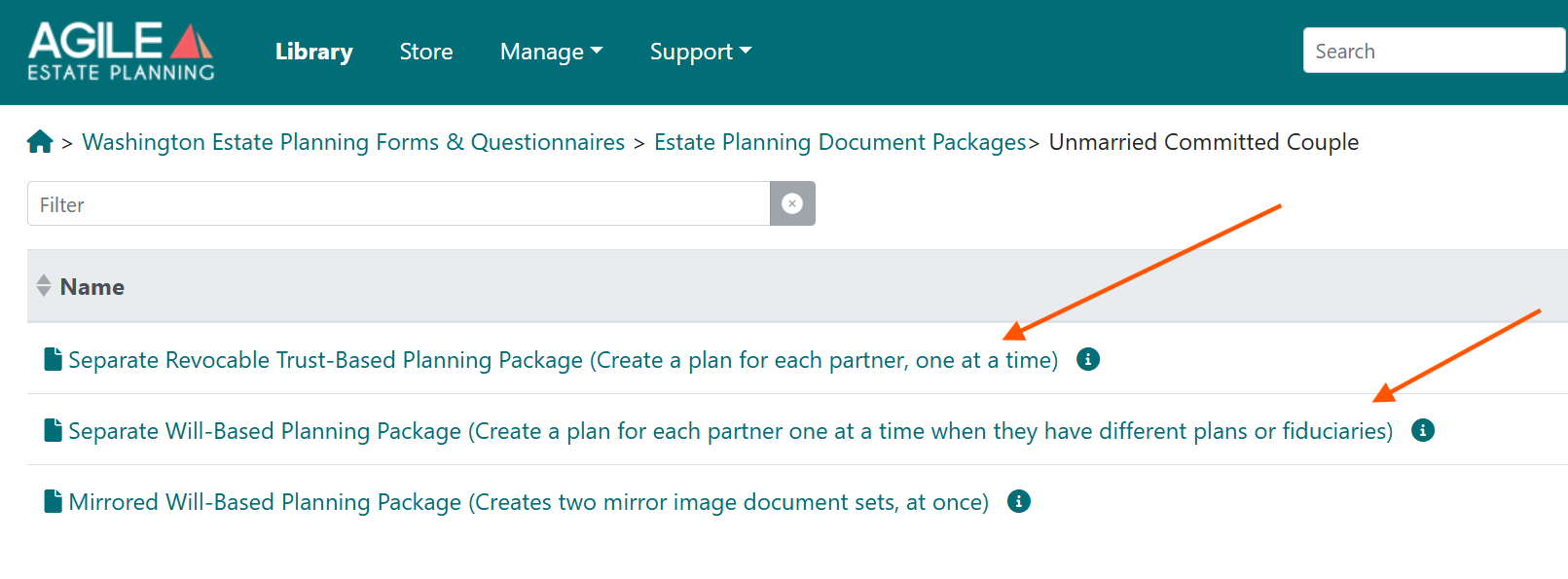
Unmarried Couple "Separate Plans" Options:
Conceptual Framework: One Interview, Two Independent Plans
Although the package presents a single interview structure, it produces two distinct answer files—one for each person.
Key structural points:
Only one person’s plan is active at a time
You complete the entire interview for Person 1 first
After assembling Person 1’s documents, you switch to draft Person 2’s plan
Each person’s plan can differ completely in document selection, fiduciaries and dispositive provisions. Drafting efficiency is achieved through shared structure and the Flip Parties function.
Step One: Complete the Full Interview for Person 1
When drafting Separate Plans, begin by treating Person 1 as the only client. Do not worry about flipping parties at this stage. Complete the entire drafting interview for Person 1 from start to finish as though you were drafting a single-person plan.
Once the interview for Person 1 is complete:
- Assemble Person 1’s full document package.
- Save the answer file clearly labeled with Person 1’s name.
Step Two: Return to the Separate Plan Package and Flip
After completing Person 1’s plan, return to the Library and navigate back to the same Separate Plan package. When the interview opens, click Load Answers. At this point, the system will reopen the completed interview using Person 1’s answers.
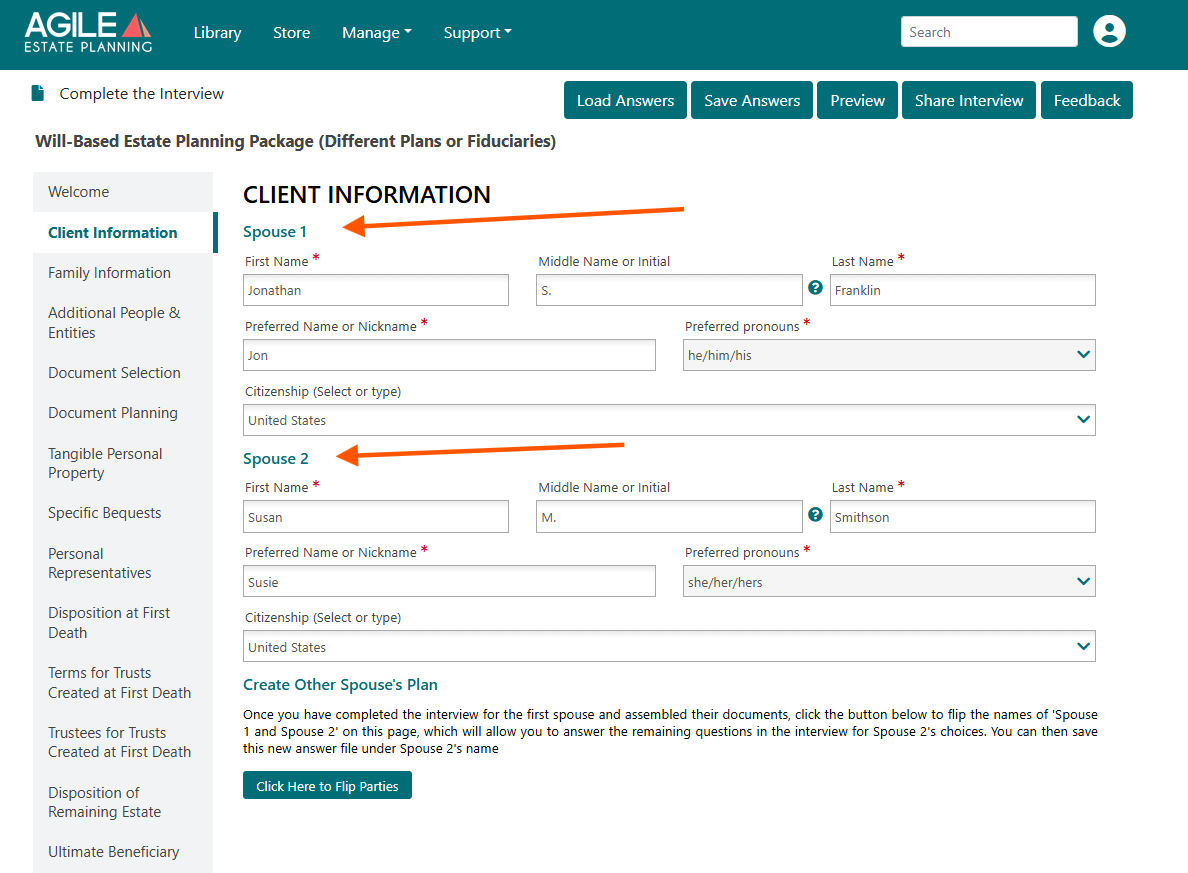
At this point, the interview is still oriented to Person 1. Now—and only now—does the Flip Parties function become relevant. To begin drafting Person 2’s plan, navigate to the bottom of the Client Information tab and click Flip Parties.
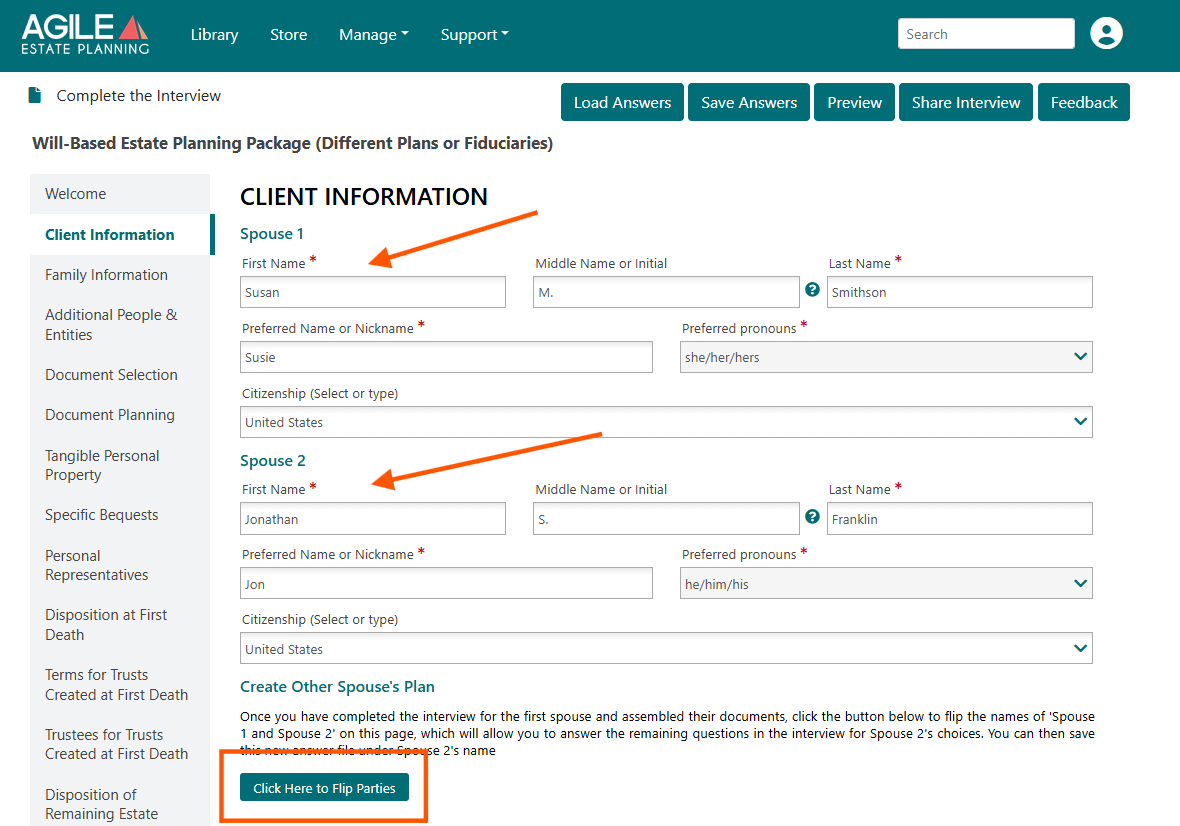
What the Flip Button Is Doing
When you click Flip Parties:
- The spouses are swapped in the interview (Former Person 1 now becomes Person 2).
The person now labeled Person 1 becomes the subject of the active plan being drafted.
All previously entered factual information remains intact.
Family member, named individuals, and party relationships all remain in place.
All prior dispositive provision answers also remain populated.
The beneit of the "flip" is that you are not starting over. You are reusing the same factual framework, but shifting the drafting perspective to the other spouse. This can be a huge time saver when, for example, each spouse has a simple change to the order of chosen fiduciaries.
Immediate Step: Save Under Person 2’s Name
As soon as you flip parties, save the answer file as a new answer file using Person 2’s name only. Saving immediately after flipping prevents accidental overwriting of Person 1’s answer file and ensures you are now working inside Person 2’s independent answer set. To see how to save a new answer file without overwriting one, see this article.
Step Three: Review and Revise the Interview for Person 2
After flipping and saving under Person 2’s name, conduct a full review of the drafting interview. The factual framework (the family members, etc.) remains intact, but the substantive plan must now be intentionally tailored for Person 2.
Note that on any fiduciary selection tab in Person 1's first plan where the spouse was the chosen fiduciary, you can leave that selection in Person 2's plan if Person 2 is also naming the spouse in the same role in on the same level.
Once the interview for Person 2 is complete, assemble Person 2’s full document package. Save the answer file again once the drafting interview is complete, but this time you'll want to overwrite the Person 2's file. To see how to overwrite an answer file, see this article.
You should now have:
Two distinct answer files
Two independently assembled document packages
This sequence preserves drafting efficiency while ensuring that each spouse’s estate plan remains legally and structurally independent.
Joint Revocable Trust-Based Planning
(Married Couples Only)
Married couples may instead choose to draft a Joint Revocable Trust plan, but also incorporate different plans for their ancillary documents.
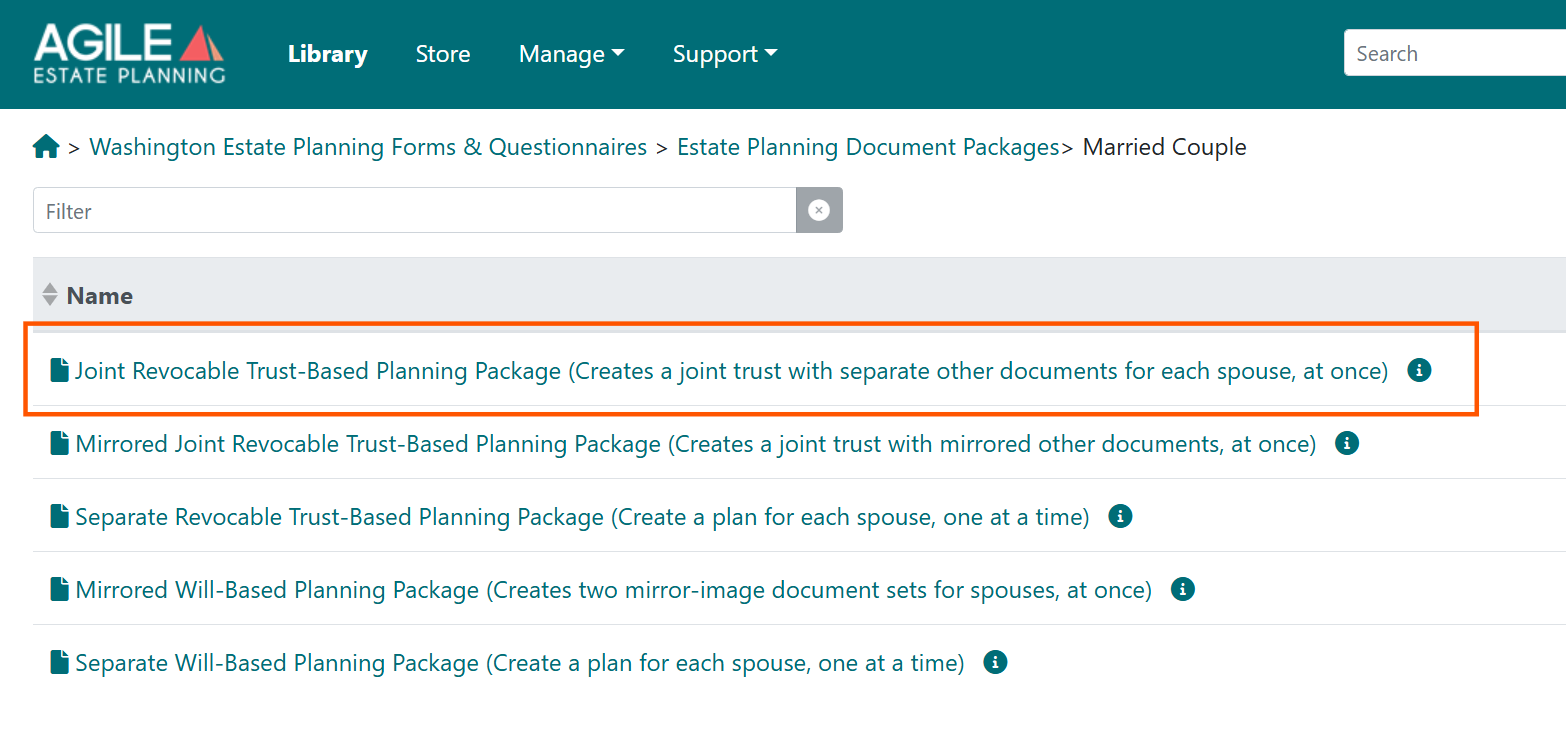
Under this structure, you are creating one joint revocable trust for both spouses, but you will still draft separate ancillary documents for each individual spouse (such as Durable Powers of Attorney, Health Care Powers of Attorney, Health Care Directives, and HIPAA Authorizations).
This planning package does not use the Flip Parties function. Because there is only one trust instrument:
You complete the interview once.
You work within a single answer file.
You assemble one joint trust document.
However, document selection in this package distinguishes between the spouses, allowing you to select ancillary documents individually for each person within the same package. Thus, as you move through the interview, you will notice that the ancillary sections are clearly divided between the spouses. Instead of flipping parties, the interview itself guides you through each person’s individual decisions.
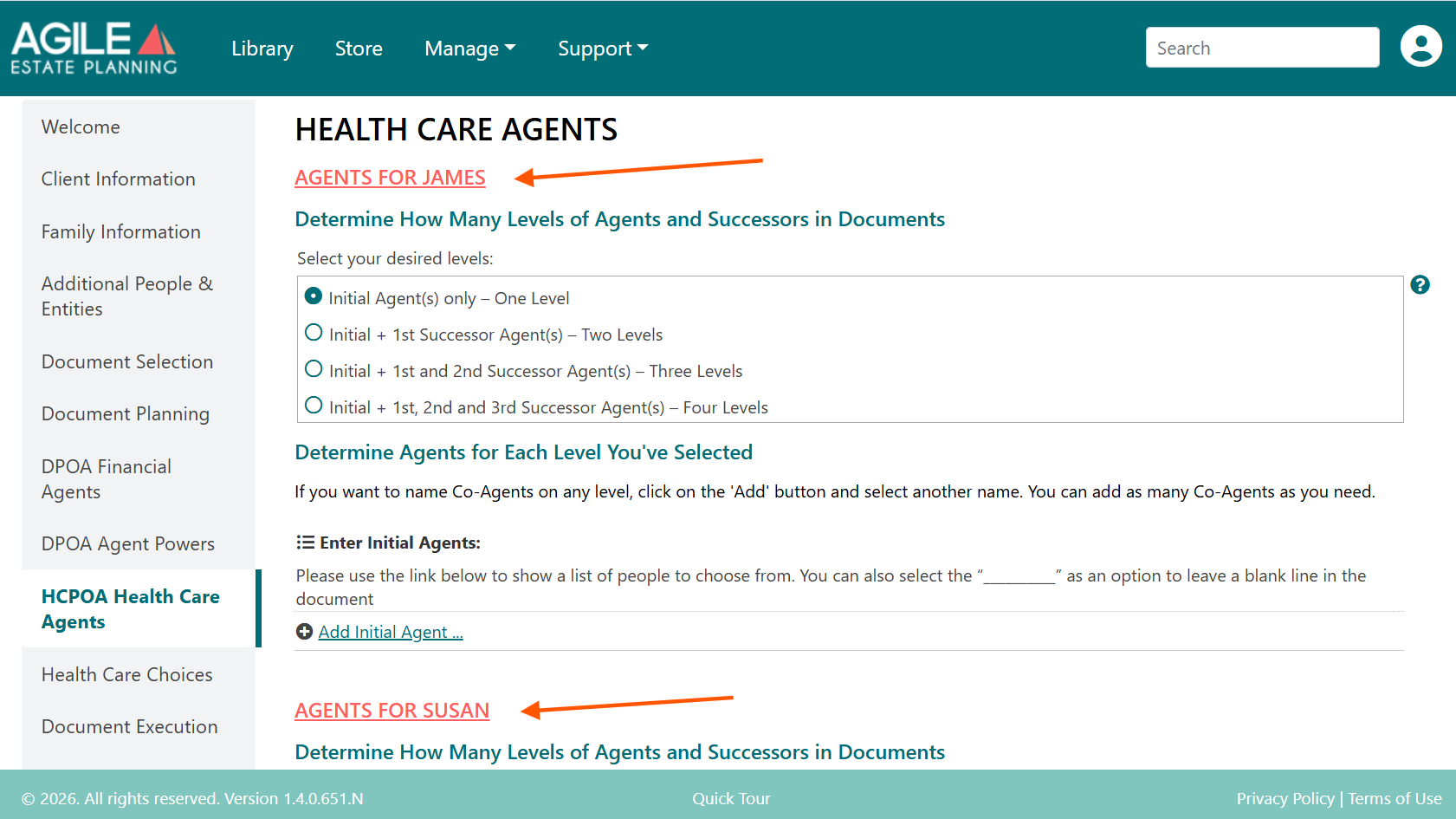
For example, in fiduciary sections such as Health Care Agents, you will see headings that reference the client by name (e.g., “Agents for James” and “Agents for Susan”). You will enter each spouse’s preferences separately within those labeled sections.